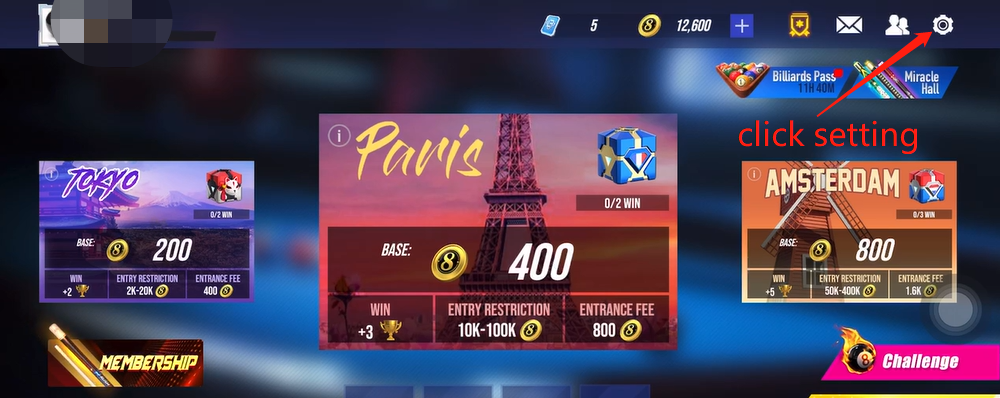
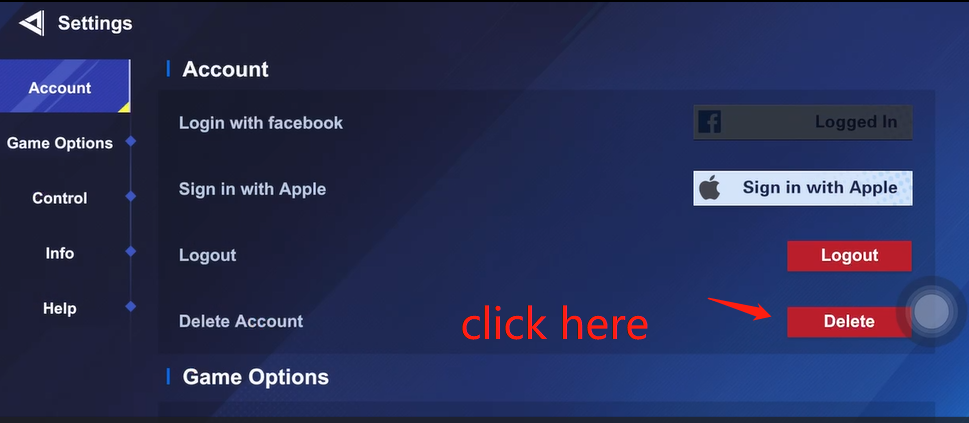
Data deletion process:
1. In the upper right corner of the game hall interface, click the gear icon
2. Select delete Account from Account.
3. Select Delete my account permanently as prompted and return to the login page
4. When you try to log in with the account again, the account deletion process and the result deletion time are displayed
5. If there is no successful login within the displayed time range, the account will be permanently deleted.